Scenario A
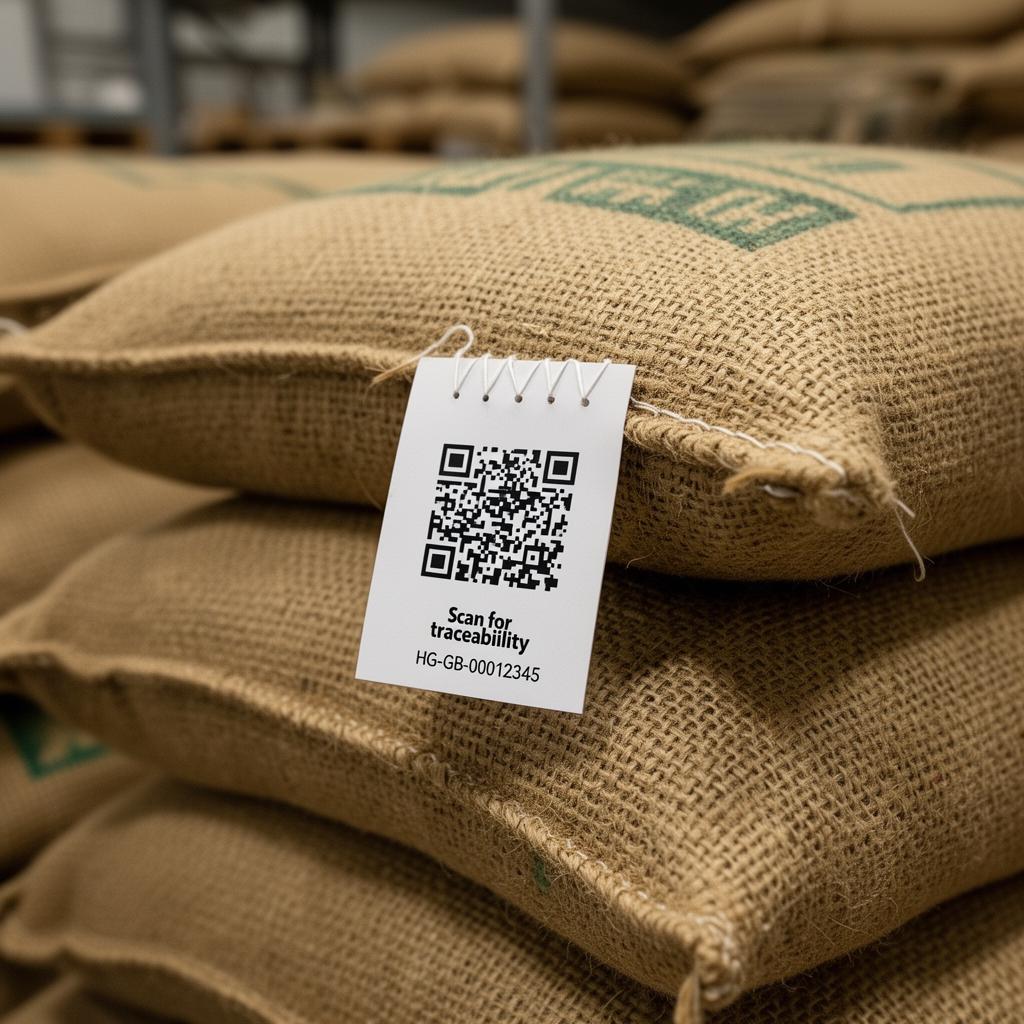
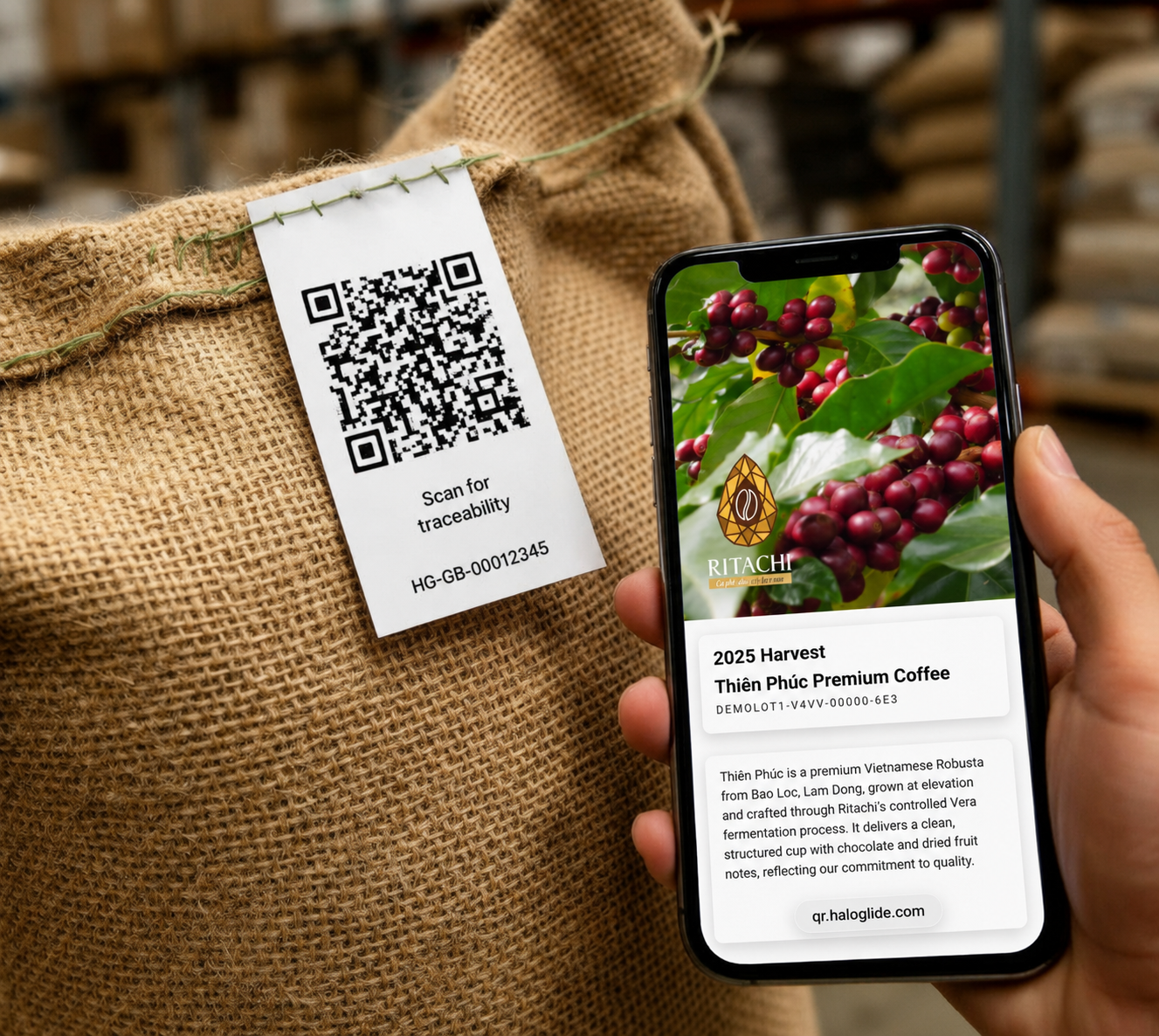
Green bean coffee labels
Sew-on tags, printed bag labels, or direct-printed labels for green bean bags, sacks, liners, totes or export units. One label per physical bag — linked to its green bean lot once filled.
Customer Guide
Unique QR labels using HaloLink URLs — for green bean bags, sew-on tags and white label production runs. The QR identifies the label first. Haloglide links that label to the right product, lot, batch and source coffees.
Two scenarios
The same labelling principle covers both green bean bags in the warehouse and finished white label retail packs on the production line.
Scenario A
Sew-on tags, printed bag labels, or direct-printed labels for green bean bags, sacks, liners, totes or export units. One label per physical bag — linked to its green bean lot once filled.
Scenario B
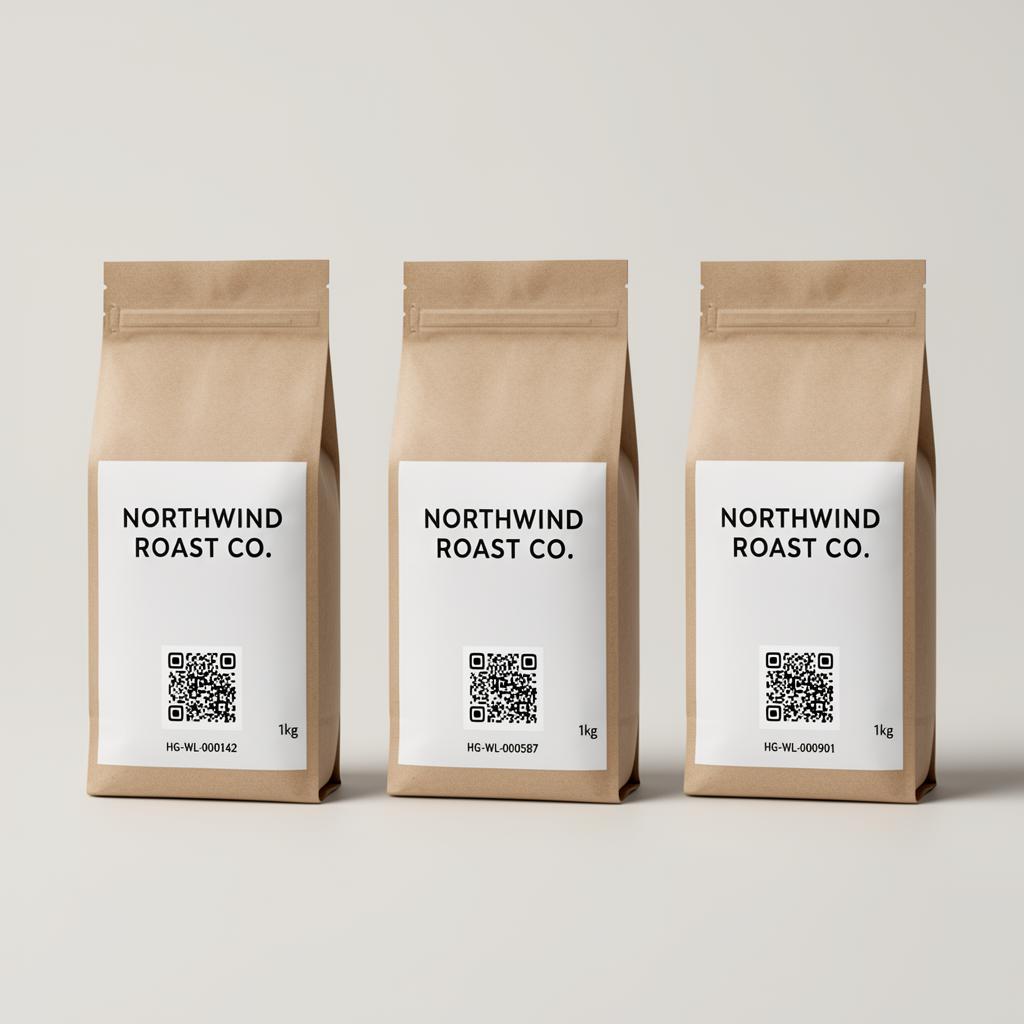
Pre-printed labels for finished product runs where the same design may cover different sub-runs, blends and source coffee mixes — linked at production time.
The core rule
The QR code identifies the physical label first. Haloglide then links that label to the correct product, lot, batch, sub-run, source coffees and claims. A label can be printed before the final batch exists, then assigned later.
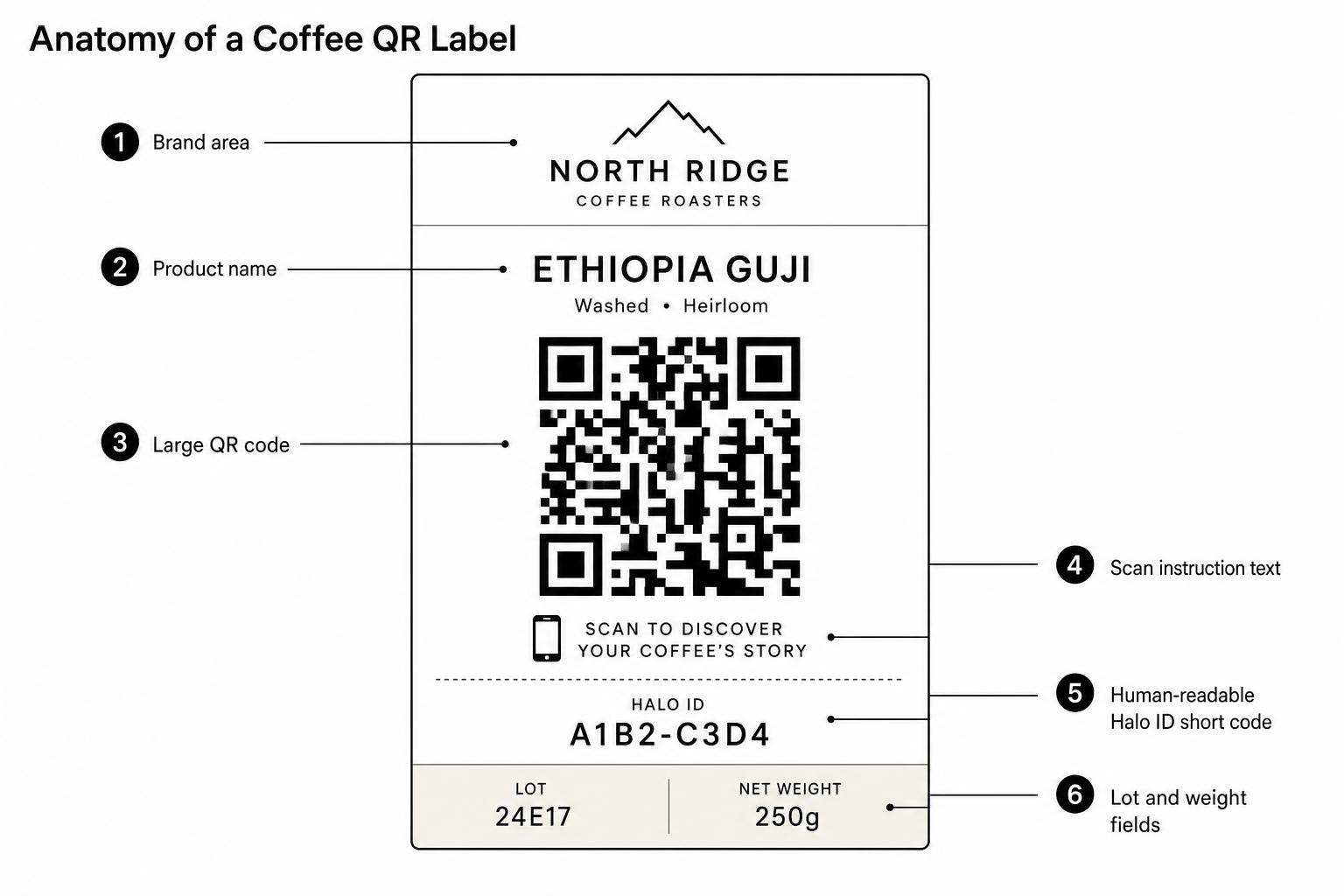
1 — Label anatomy
A unique HaloLink QR, a human-readable short code, and only the operational fields you can guarantee at print time.
| Requirement | Guidance |
|---|---|
| Identify the label | Every printed QR must be unique. |
| Resolve to Haloglide | The scan opens a HaloLink URL. |
| Survive operational use | Scannable after handling, sewing, transport and packing. |
| Be assignable later | A pre-printed code can stay unallocated until applied. |
| Support audit history | Created, printed, allocated, applied, voided and scanned events. |
Scenario A
Sew-on tags and printed bag labels that connect each physical bag to its Haloglide record — origin, lot, evidence and movement history.
Example label
Single Origin Green Bean
Crop year: 2026
Lot: GB-2026-042
Bag: 034 / 120
Net weight: 60 kg

Scan for Haloglide traceability record
Halo ID: HG-GB-00012345
Generate label IDs
Unique HaloLink labels reserved.
Available
Print tags or labels
Sew-on or printed bag labels produced.
Printed
Issue to operation
Labels handed to bagging or export team.
Issued
Apply to bag
Label attached to physical bag, sack or tote.
Applied
Link to lot
Linked to green bean, harvest or export lot.
Linked
Scan check
Sample scanned before dispatch.
Verified
Movement events
Receipts, splits and aggregations recorded.
Active
Scenario B
The label design can stay the same. The HaloLink assignment changes by sub-run so source coffees and blend percentages stay accurate.
Pre-printed labels are treated as controlled inventory. Each sub-run is allocated a non-overlapping label range. No clever exceptions — that's how audit trails go to die.
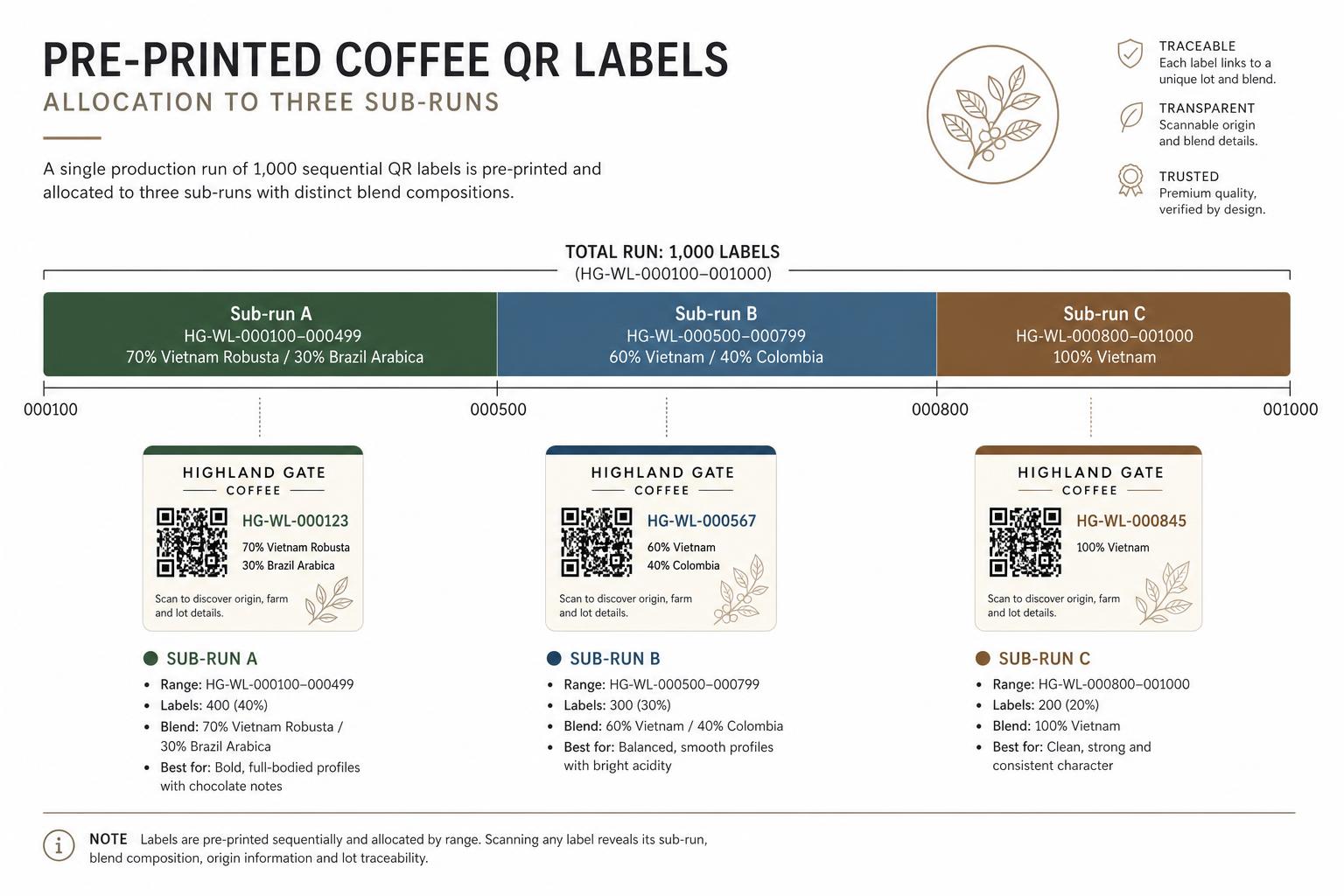
Sub-run A
70% Origin R / 30% Origin A
HG-WL-000100 – 000499
Sub-run B
60% Origin R / 40% Origin A
HG-WL-000500 – 000799
Sub-run C
100% Origin R (single origin)
HG-WL-000800 – 001000
Label lifecycle
From the moment a HaloLink ID is created to the day it is verified, voided or quarantined — every transition is recorded.
Code format
Data embedded
Halo-Link is an opaque token. it never encodes product data, so there is no minimum or maximum mode.
ID minted in Haloglide. No physical label yet.
URL encoded in the QR
https://qr.haloglide.com/8f3c.HG-WL-000587
Halo-Link token is fixed at print time. Lifecycle changes happen in the record, not in the URL.
Haloglide record at this stage
Tip: switch Maximum data with GS1 Digital Link to see how inline-printed packs can carry lot, dates and weight directly inside the QR. useful when the scanner is offline or for retail POS.
Interactive: step through the lifecycle and switch between Halo-Link / GS1 Digital Link and minimum / maximum payload.
| Status | Meaning |
|---|---|
| Available | Created in Haloglide but not printed or allocated. |
| Printed | Sent to printer or confirmed printed. |
| In stock | Physical labels received and available for use. |
| Allocated | Reserved for a product, run or sub-run. |
| Applied | Physically attached or printed on the item. |
| Linked | Connected to the correct batch, lot or sub-run. |
| Verified | Scan checked and confirmed. |
| Voided | Damaged, skipped, lost or unusable. |
| Quarantined | Applied to product under hold. |
| Destroyed | Label or labelled product destroyed. |
Non-negotiables
Everything else is implementation detail. These rules keep the audit trail honest.
Every QR must be unique
Prevents duplicate identity.
Label ranges must never overlap
Protects audit integrity.
Don't encode changing data in the QR
Keeps labels usable before details are final.
Link labels to sub-runs when components differ
Keeps source coffee evidence accurate.
Void damaged or skipped labels
Prevents ghost product records.
Keep a human-readable fallback
Saves the day when the QR has had a rough one.
Test scan before release
A label that won't scan is just expensive wallpaper.
Code formats
Every Haloglide label resolves to a URL. You choose how that URL is shaped. Halo-Link is the simplest default. GS1 Digital Link is the standards-compliant retail path. Both can live side-by-side in a single deployment.
Option 1
Haloglide's default URL structure. A short, opaque item code under your Haloglide resolver domain — no GTIN required, no GS1 prefix licence needed to get started.
Example URL
https://qr.haloglide.com/{org_uuid}.{item_code}

→ https://qr.haloglide.com/8f3c.HG-WL-000587
Token structure: {org_uuid}.{item_code}. Item code components (variant, product, sequence, checksum) are configured once at the org level.
Option 2
Standards-compliant URLs built from GS1 Application Identifiers (GTIN, lot, serial, dates). The same QR can be read by retail POS, regulators and consumer apps that understand GS1.
Example URL (path-first)
https://id.haloglide.com/
  01/09521234567890/
  10/LOT2026-042/
  21/000587
Same data, query-string style
?01=09521234567890
&10=LOT2026-042
&21=000587
AI (01) GTIN, AI (10) Batch/Lot, AI (21) Serial. Optional: AI (17) Expiry, AI (15) Best Before, AI (3103) Net Weight kg. Haloglide token can ride along in AI (90).
| Consideration | Halo-Link | GS1 Digital Link |
|---|---|---|
| Setup effort | Minimal — works out of the box | Requires GS1 GTIN + prefix licence |
| URL length | Short, fixed shape | Longer, grows with qualifiers |
| Retail POS compatibility | No (Haloglide-resolved only) | Yes — recognised by GS1-aware scanners |
| Data carried in the URL | Opaque token; data fetched server-side | Identifiers visible in the URL itself |
| Reprint flexibility | High — token never changes | Medium — qualifiers (lot, serial) printed in |
| Best fit | Green bean, internal ops, white label runs | Retail-facing packs, regulated markets, DPP |
| Migration path | Can be reissued as GS1 later | Already aligned with GS1 standard |
Rule of thumb: use Halo-Link upstream (green bean, work-in-progress, white label production) and GS1 Digital Link on the consumer-facing finished pack.
Application method
Most operations apply pre-printed labels. For high-volume packaging lines, printing the QR directly onto the pack inline can be the better answer.
Labels are produced in advance as a controlled inventory range, allocated to a run or sub-run, then applied to the bag or pack. Default for green bean sacks and most white label work.
The QR and human-readable code are printed directly onto the pack at the moment of fill — typically via thermal inkjet (TIJ), continuous inkjet (CIJ) or laser onto the bag substrate or a pre-applied print panel.
When inline printing makes sense
Haloglide can issue codes on demand to an inline printer through the same label range model — the difference is the code moves from Allocated → Printed → Applied in a single line event instead of three.
GS1 Digital Link pathway
HaloLink URLs are the simplest path today. Customers that need retail compatibility can move toward GS1 Digital Link — without re-labelling the warehouse. The structure is designed to evolve.
Our team will look at your current bag and pack labels and map them onto Haloglide — sub-runs, ranges and all.
Talk to us